MathTre
1日数分の計算トレーニング
MathTre について
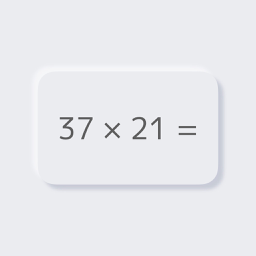
マストレは、足し算・引き算・掛け算・割り算・見取り算をテンポよく解いていく、シンプルな計算トレーニングアプリです。タイムを記録して、自己ベストの更新を目指せます。
- 5つの計算モード — 足し算・引き算・掛け算・割り算に加え、続けて数を足していく「見取り算」を収録しています。
- 1〜5桁の難易度 — 計算する数の桁をそれぞれ選べ、問題数や見取り算で足す数の個数も設定できます。
- タイム計測と記録 — クリアタイムと1問あたりのタイムを自動で記録し、自己ベストを更新すると「新記録!!」が表示されます。
- テーマとサウンド — 端末設定・ライト・ダークのテーマと、サウンドのオン・オフを切り替えられます。
すべてのモードと機能は無料でお使いいただけます(広告が表示されます)。
サポート
不具合のご報告・ご要望・ご質問は、下記メールアドレスまでお気軽にご連絡ください。
よくある質問:
- 広告を非表示にするには? — ホーム画面の歯車ボタンで「設定」を開き、「有料版」の「広告を削除」をタップしてください。ホーム画面下部や結果画面の「広告を削除」からも購入画面を開けます。500円の買い切りで、バナー広告と全画面広告がすべて非表示になります。
- サブスクリプション(月額課金)ですか? — いいえ、サブスクリプションではありません。一度購入すれば、追加のお支払いなしでずっと広告なしでご利用いただけます。
- 機種変更や再インストールのあと、購入を引き継ぐには? — 購入時と同じApple Accountでサインインしたうえで、「設定」画面下部、または広告削除の購入画面にある「購入を復元する」をタップしてください。
- 購入せずに広告をなくすことはできますか? — 購入画面の「広告を1本見て24時間広告なしで試す」、または結果画面の「24時間広告なし」から広告を最後まで見ると、24時間広告が表示されなくなります。有効な間は残り時間が表示され、期間中の延長はできません。
プライバシー
English
About MathTre
MathTre is a simple math workout for addition, subtraction, multiplication, division, and running sums. Your times are recorded so you can chase a new personal best.
- 5 calculation modes — Addition, subtraction, multiplication, division, and Sums, where you add up a series of numbers.
- 1 to 5 digits — Choose the digits for each number, the number of questions, and how many numbers to add in Sums.
- Timing and records — Your clear time and time per question are recorded, and "New Record!!" appears when you beat your best.
- Theme and sound — Switch between system, light, and dark themes, and turn sound on or off.
Every mode and feature is free to use (with ads).
Support
For bug reports, feature requests or questions, please email us at the address below.
FAQ:
- How do I remove ads? — Tap the gear button on the home screen to open Setting, then tap "Remove Ads" under "Paid version". You can also open the purchase screen from "Remove Ads" at the bottom of the home screen or on the results screen. A single one-time purchase hides all banner and full-screen ads.
- Is this a subscription? — No. It's a one-time purchase, so once you buy it you can use MathTre ad-free for good with no further payments.
- How do I get my purchase back on a new device or after reinstalling? — Sign in with the same Apple Account you purchased with, then tap "Restore Purchases" at the bottom of the Setting screen or on the Remove Ads purchase screen.
- Can I go ad-free without buying? — Watch an ad to the end from "Watch an ad for 24 hours ad-free" on the purchase screen, or "24h Ad-Free" on the results screen, and ads are hidden for 24 hours. The remaining time is shown while it's active, and it can't be extended until it runs out.